Meesho image resizer: fit photos to 1000 × 1000 px without cropping
By StitchMagic team · Last checked 30 October 2026
Need the Meesho image size, or a “shipping reducer”? Seller guides recommend 1,000 × 1,000 px; Meesho keeps its own image rules inside the Supplier Panel (checked 4 Oct 2026). Resizing changes the pixel and file size only; none of the seven Meesho supplier pages we read links photos to the shipping charge. As a Meesho image optimizer, it makes a square JPG at 1,000, 800 or 500 px (JPG quality 92%), white fill, no crop, and shows the KB; it sets no KB target (tool code, 4 Oct 2026). Full size rules: Meesho image size guide.
Real output · nothing cropped
Example: a 3:4 phone photo resized to 1,000 × 1,000
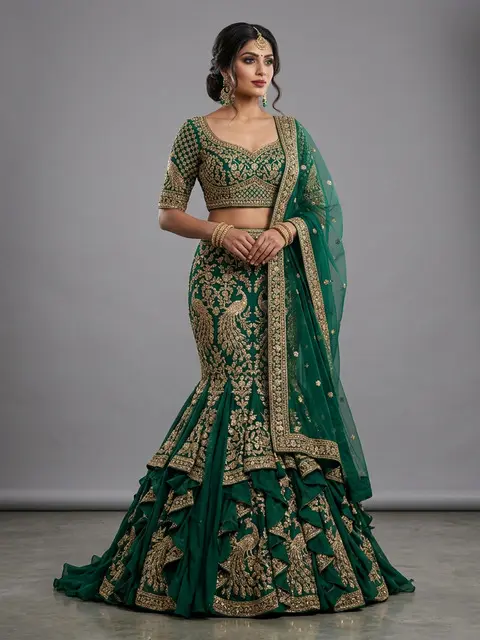
3:4 portrait, 480 × 640
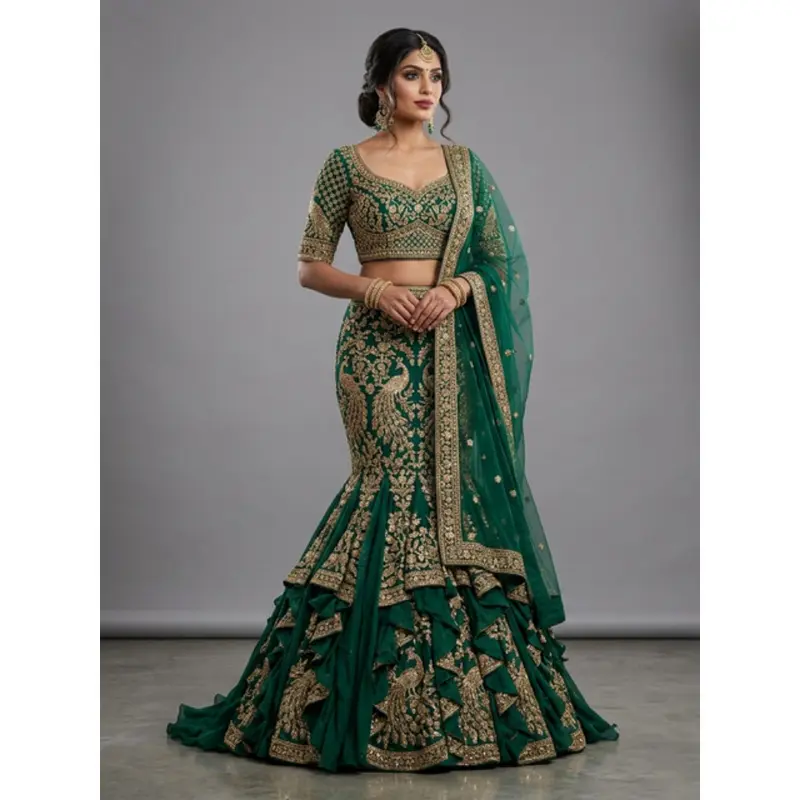
1000 × 1000 JPG, white bands left and right
480 × 640
The 3:4 sample photo above, in (px); any 3:4 photo lands the same way
750 × 1,000
Picture inside the 1,000 px square
125 px
White on the left and right; top and bottom touch the edges
630 × 840
Same photo in the generator, white on all four sides
Calculated from both tools' code, 4 Oct 2026.
How to resize an image for Meesho
- 1Choose a size: 1,000 × 1,000, 800 × 800 or 500 × 500 px. The selected box turns pink.
- 2Upload photos: JPG, PNG or WEBP, any size, several at once.
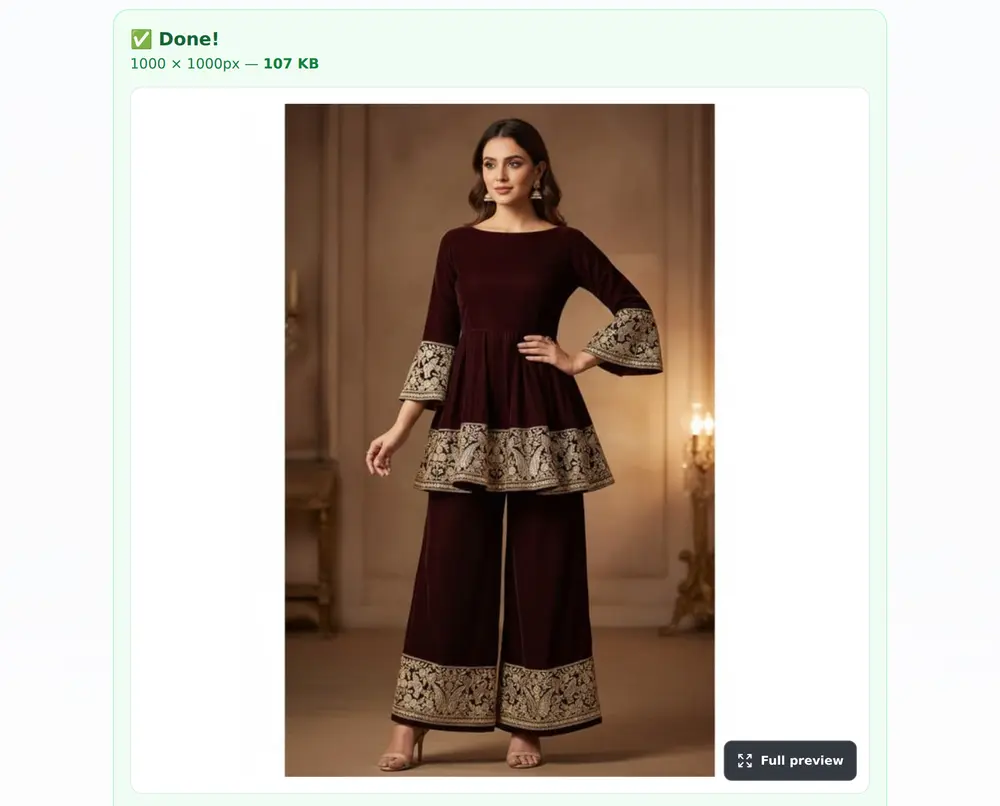
- 3Tap the pink Resize button. The result shows the pixel size and the KB.
- 4Tap “Download”. Each photo saves as its own JPG; no phone number or sign-in is asked.
- 5Repeat for the other angles. Meesho's how-it-works page: “Uploading more than one image for your product is recommended to give the customers a better view of your product.” Its single-upload lesson asks you to “add a sharp, clear image of the front of your products” first (both retrieved 4 Oct 2026).
In the Supplier Panel, Meesho asks you to “select a category first and then upload the product images” (how-it-works, retrieved 4 Oct 2026). Our Meesho Supplier Panel guide has the login link.
Which Meesho photo size to pick: 1,000, 800 or 500 px
| Preset | Output | What happens to your photo | Use it when |
|---|---|---|---|
| 1,000 × 1,000 | Square JPG, 1,000 px a side | Fitted, no crop, white fill in the gaps | Default: the size seller guides recommend |
| 800 × 800 | Square JPG, 800 px a side | Same, smaller file | You want a smaller file |
| 500 × 500 | Square JPG, 500 px a side | Same, smallest file | Only if the larger sizes will not upload |
| Any preset | JPG, no text, no watermark added | — | — |
Source: StitchMagic tool code (MeeshoResizerTool), read 4 Oct 2026; seller-guide recommendation from catalogx.app, robnu.com and meeship.in, fetched 4 Oct 2026. Last checked: 4 October 2026. Where seller guides disagree: our Meesho image size page.
Meesho image size reducer problems: big files, white bars, blur
File too big to upload
White bars on the sides
Photo looks soft after resizing
Background is a bedsheet or wall
Meesho image resizer: download and privacy
The whole batch in one go
Nothing asked at download
Runs in your browser
For every other marketplace job, see tools for marketplace sellers.
Photos resized? Let ListMagic fill the Meesho catalog form
Related seller tools
Frequently asked questions
What size should I resize Meesho images to?
1,000 × 1,000 px, unless the file will not upload. It is the size the seller guides we checked recommend (catalogx.app, robnu.com, meeship.in, 4 Oct 2026); Meesho keeps its own detailed image guidelines inside the Supplier Panel.
Will the Meesho image resizer crop my product?
No. It scales the photo to fit inside the square and fills the gaps with white, so nothing is cut off (tool code, 4 Oct 2026).
How do I reduce Meesho image size in KB?
Pick 800 × 800 or 500 × 500 and read the KB on the result card before downloading. The resizer has no KB target, so for an exact KB limit run the resized JPG through a compressor afterwards.
Is this a Meesho image size converter?
Yes. It converts any JPG, PNG or WEBP into a square JPG at 1,000, 800, 500 px (tool code, 4 Oct 2026).
Does the Meesho image resizer ask for my phone number?
No. The download saves your JPGs straight away, with no phone number or sign-in, and every photo you upload is resized (tool code and test run, 27 Oct 2026).
Should I use the resizer or the Meesho image generator?
Use the resizer to fit the photo so its longer side reaches the edge, with no added margin, at 1,000, 800, 500 px; use the generator for a 1,000 × 1,000 photo with an 8% white margin and an optional brand name or price (tool code, 4 Oct 2026).
Who made this: StitchMagic is a set of free tools and one AI listing agent (ListMagic) for online sellers in India that helps them list faster on Meesho, Flipkart and Amazon.in and sell more. Meesho pages read 4 October 2026; tool checked 27 Oct 2026; page updated 30 Oct 2026 · StitchMagic team.