Meesho listing image size and photo requirements
By StitchMagic team · Last checked 4 October 2026
Meesho product image size: what Meesho says vs seller guides
The only image rules Meesho states on its open pages are about the photos, not the pixels: a sharp, clear front image, more than one image per product, and high-quality images from multiple angles. Every number below comes from seller guides, not from Meesho.
| Requirement | Meesho's public pages | Seller guides say | Status |
|---|---|---|---|
| Recommended size | Not stated | 1000 × 1000 pxcatalogx.app, robnu.com, meeship.in | Seller guides agree |
| Minimum size | Not stated | Guides disagree; none cites a Meesho pagemeeship.in, catalogx.app, robnu.com, blooprint.in | Seller guides disagree |
| Shape | Not stated | 1:1 squaremeeship.in, catalogx.app, blooprint.in | Seller guides agree |
| File format | Not stated | JPEG or PNGmeeship.in, catalogx.app, blooprint.in | Seller guides agree |
| File size | Not stated | Up to about 5 MBmeeship.in, catalogx.app, blooprint.in | Seller guides agree |
| Background | Not stated | White or a plain light backgroundmeeship.in, blooprint.in | Seller guides agree |
| Front image | “add a sharp, clear image of the front of your products” | Product only, no models, props or text (one guide)meeship.in | Meesho states part of it |
| Number of images | “Uploading more than one image for your product is recommended” | Guides disagree; none cites a Meesho pageblooprint.in, catalogx.app | Seller guides disagree |
Source: Meesho how-it-works and learning-hub lessons (single upload, grow your sales), retrieved 4 Oct 2026; seller guides meeship.in, catalogx.app, robnu.com, blooprint.in, fetched 4 Oct 2026. Last checked: 4 October 2026.
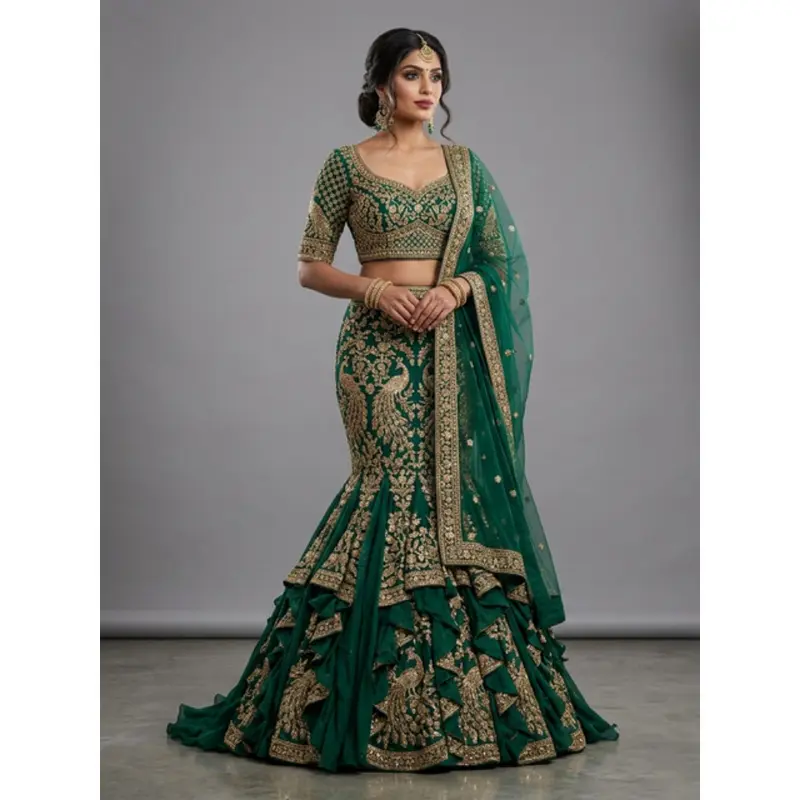
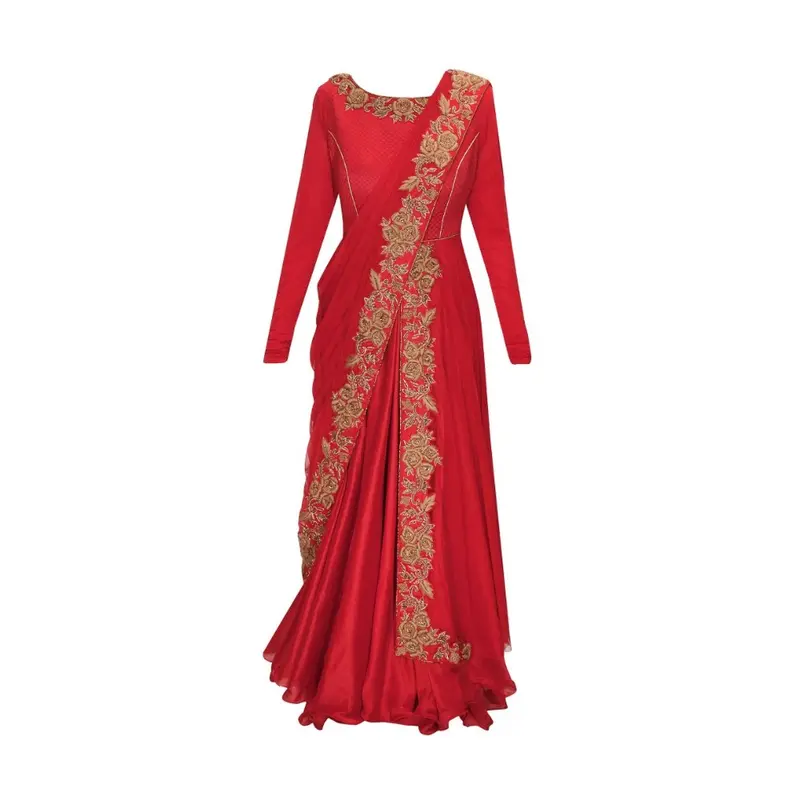
Why we say 1,000 × 1,000: it is the one size the guides agree on as a recommendation; their minimums disagree, and none of them links a Meesho page that states one. Both of our Meesho image tools output it: the Meesho image resizer with the photo fitted so its longer side reaches the edge, the Meesho image generator with an 8% white margin.
Real outputs of our two tools
Meesho catalog image size: two ways to make a 1,000 × 1,000 photo
Meesho image resizer
Meesho image generator
Meesho photo upload size: four steps from phone photo to panel
- 1
Shoot the front first
Meesho's single-upload lesson asks you to “add a sharp, clear image of the front of your products”, then “additional images of your products” (retrieved 4 Oct 2026). Use daylight and a plain surface. - 2
Deal with a busy background
Reshoot against a plain sheet or cut the product out in a background-removal app. Neither of our Meesho tools removes a background. - 3
Resize to 1,000 × 1,000
Open the Meesho image resizer and keep the 1,000 preset. Nothing is cropped; the card shows the KB. - 4
Upload in the right order
Meesho says to “select a category first and then upload the product images” (how-it-works, retrieved 4 Oct 2026). For many products, use Images Bulk Upload.
Why Meesho rejects catalog images: the QC errors Meesho names
- Wrong Category Error
- Duplicate SKU ID and Product ID Error
- SKU ID error
- Image Link Error (image error)
- Product Description Error
- Image Upload Error (image error)
Source: Meesho learning hub, QC errors, retrieved 4 Oct 2026.
Image Link Error is usually a copy-paste problem
In a bulk upload, you upload photos in the panel's “Images Bulk Upload” section, copy the links and paste them into the template's image column (bulk upload lesson, retrieved 4 Oct 2026). Check that column first. Other reasons catalogs bounce: our guide to a rejected Meesho catalog.What we checked on 4 Oct 2026
| Meesho page (supplier.meesho.com) | Image rule it states |
|---|---|
| how-it-works | More than one image recommended; detailed image guidelines are in the Supplier Panel |
| learning hub: single catalog upload | Sharp, clear front image, then additional images |
| learning hub: bulk upload | Images go in through “Images Bulk Upload” links |
| learning hub: QC errors | “Image Link Error”, “Image Upload Error” |
| learning hub: grow your sales | “Use high-quality images that clearly show your product. Multiple angles help.” |
| learning hub: supplier panel; sell-online/clothes | No size rule |
Sources: the pages named, read 4 Oct 2026. The four seller guides’ minimums are in the table at the top; none of them links a Meesho page that states its minimum. Last checked: 4 October 2026.
All marketplace image sizes: the image size library.
Let ListMagic fill the Meesho catalog form
Related seller tools
Frequently asked questions
What is the Meesho catalogue or listing image size?
Use 1,000 × 1,000 px. Meesho's public pages give no pixel size (checked 4 Oct 2026), and 1,000 × 1,000 is the size the seller guides we read recommend.
What is the minimum image size for Meesho?
Meesho does not publish one on its public pages (checked 4 Oct 2026), and seller guides disagree, so check your Supplier Panel guidelines and upload at 1,000 × 1,000.
What is the Meesho product image size ratio?
Square, 1:1, according to seller guides; Meesho's public pages do not state a ratio (checked 4 Oct 2026).
How many images should I upload on Meesho?
More than one: Meesho recommends it "to give the customers a better view of your product" (how-it-works, retrieved 4 Oct 2026). The maximum is not on Meesho's public pages, and seller guides disagree.
Where are Meesho's official image guidelines?
Inside the Meesho Supplier Panel. Meesho's how-it-works page says: "The detailed image guidelines will be provided in the Meesho Supplier panel" (retrieved 4 Oct 2026). Log in at supplier.meesho.com.
Why is Meesho rejecting my product image?
Meesho's QC lesson names two image errors, "Image Link Error" and "Image Upload Error" (retrieved 4 Oct 2026); in a bulk upload, check the image links in your template first.
Who made this: StitchMagic, which makes tools for online sellers in India. Seller-guide values are marked as theirs until we read Meesho's own numbers inside a Supplier Panel. Last checked: 4 October 2026 · StitchMagic team.