Meesho image generator for low shipping? Make 1000 × 1000 listing photos
By StitchMagic team · Last checked 30 October 2026
Add brand & price (optional)
Looking for a Meesho image generator for low shipping rates? This tool changes only the photo's size, canvas and margin. None of the seven Meesho supplier pages we read on 4 Oct 2026 links product photos to the shipping charge, so no photo tool can promise a lower charge. What Meesho does link to a charge is weight: a customer-return shipping fee is “based on the weight of the shipment”, and the return fee for each product shows in the product details section of the Supplier Panel (retrieved 4 Oct 2026). There is no APK: it runs in Chrome on your phone.
Real output
What the Meesho photo generator makes
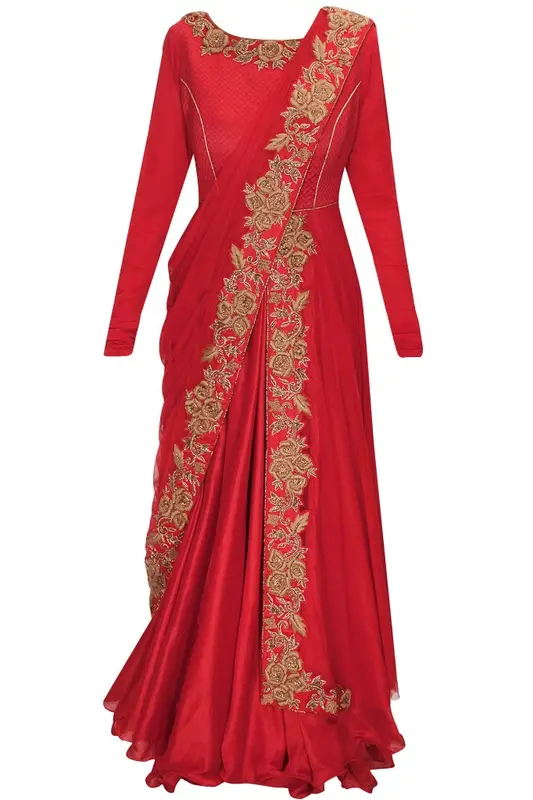
Phone photo, 2:3 portrait
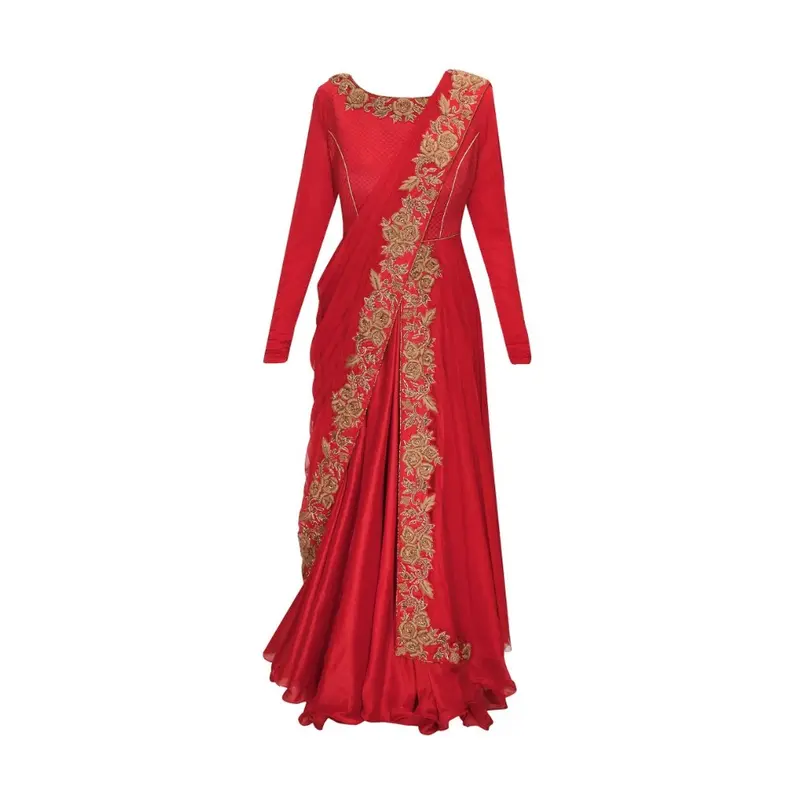
1000 × 1000 JPG, 8% white margin
How to use the Meesho image generator tool
- 1
Upload one or more photos
JPG, PNG or WEBP, any size. The upload box shows how many photos you selected. - 2
Optional: add brand & price
Open “Add brand & price” and type a brand name or a ₹ price. Leave both empty for a plain photo. - 3
Build, then download
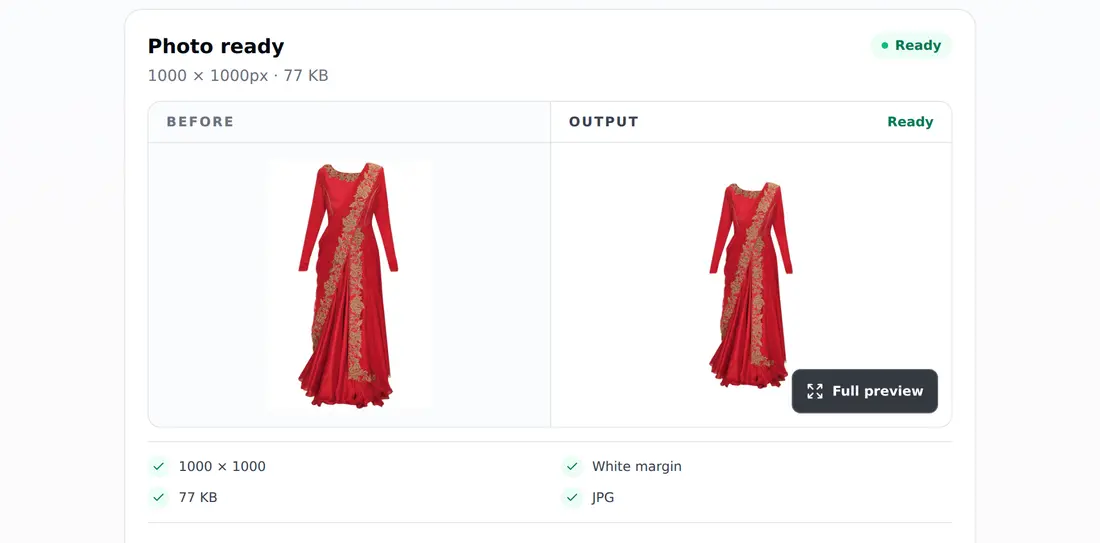
Tap “Build Meesho Image (JPG)”; the result card shows the pixel size and KB. Then tap “Download photo” (“Download N photos” when you built several) and add the next angle.
Meesho product image generator settings, in one table
| Setting | What you get |
|---|---|
| Canvas | 1,000 × 1,000 px square |
| Background of the canvas | White (#FFFFFF) |
| Your photo | Scaled to fit, not cropped; longest side up to 840 px (8% margin each side) |
| Your photo's own background | Kept as it is, not removed |
| Brand name | Optional, small text, top-left |
| Price tag | Optional, ₹ amount in a pink tag, bottom-left |
| File | JPG |
| Input | JPG, PNG or WEBP, any size, several at once |
| Download | No phone number or sign-in asked at download |
Source: StitchMagic tool code (MeeshoGeneratorTool), read 4 Oct 2026. Last checked: 4 October 2026.
Meesho prints no size rule on its public pages
Its how-it-works page says: “The detailed image guidelines will be provided in the Meesho Supplier panel” (retrieved 4 Oct 2026). What seller guides claim is on our Meesho image size page.Meesho shipping charges: can a low shipping image generator reduce them?
Does it reduce Meesho shipping charges?
The photo's background still shows
Brand name or price on the first photo
The product looks small in the square
Catalog rejected after upload
Example: one 3:4 kurti photo, before and after
630 × 840
Product size in the generator square (px)
80 px
White above and below
185 px
White left and right
750 × 1,000
Same photo in the resizer, 125 px white each side
Calculated from the tool code of both tools, 4 Oct 2026.
Meesho image generator: download and privacy
What the download asks for
- No phone number and no sign-in at download. Every photo you upload is built, and one tap saves them all as separate JPGs.
- The picture is drawn on a canvas in your browser; the result card shows its pixel size and KB before you save.
- No watermark. The only text on the image is the brand or price you type.
- Once a photo is built, the tool also previews your photos as a catalog PDF; sharing or downloading that PDF asks you to sign in (tool code, 27 Oct 2026).
To have the catalog form filled from these photos too, see how to auto-fill the Meesho catalog form.
Photos done? Let ListMagic fill the Meesho catalog form
Related seller tools
Frequently asked questions
Is there a Meesho low shipping image generator APK?
No, there is nothing to install. The generator runs in the browser on your phone or laptop; open this page in Chrome and, if you use it often, add it to your home screen.
What size does the Meesho image generator make?
A 1,000 × 1,000 px JPG. Your product is fitted, uncropped, inside an 8% white margin, so its longest side is at most 840 px (tool code, 4 Oct 2026).
Does a Meesho image generator reduce shipping charges?
No. A photo tool changes the photo's size and canvas only, and none of the seven Meesho supplier pages we read on 4 Oct 2026 links product photos to the shipping charge. What Meesho does tie to a charge is weight: the customer-return shipping fee is "based on the weight of the shipment" (Meesho shipping page, retrieved 4 Oct 2026).
Does the Meesho image generator ask for a phone number or sign-in?
No, not for your photos: every photo you upload is built, and the download saves them straight to your phone or laptop. Only sharing or downloading the optional catalog PDF asks you to sign in (tool code and test run, 27 Oct 2026).
What is the difference between the Meesho image generator and the Meesho image resizer?
The generator puts your photo inside an 8% white margin at 1,000 × 1,000 and can add a brand name or price; the resizer fits the photo so its longer side reaches the edge, with no added margin, at 1,000, 800, 500 px with no text (tool code, 4 Oct 2026).
Is this a Meesho photo editor?
Only for framing and size. It places your photo on a 1,000 × 1,000 white square with an 8% margin and can print a brand name or ₹ price; it does not crop, retouch, change colours or remove the background (tool code, 4 Oct 2026). Both text fields start empty; read Meesho's Supplier Panel guidelines before adding text to the front image.
Who made this: StitchMagic is a set of free tools and one AI listing agent (ListMagic) for online sellers in India that helps them list faster on Meesho, Flipkart and Amazon.in and sell more. Meesho pages read 4 October 2026; tool checked 27 Oct 2026; page updated 30 Oct 2026 · StitchMagic team.