Fashion catalog maker for clothing sellers and boutiques
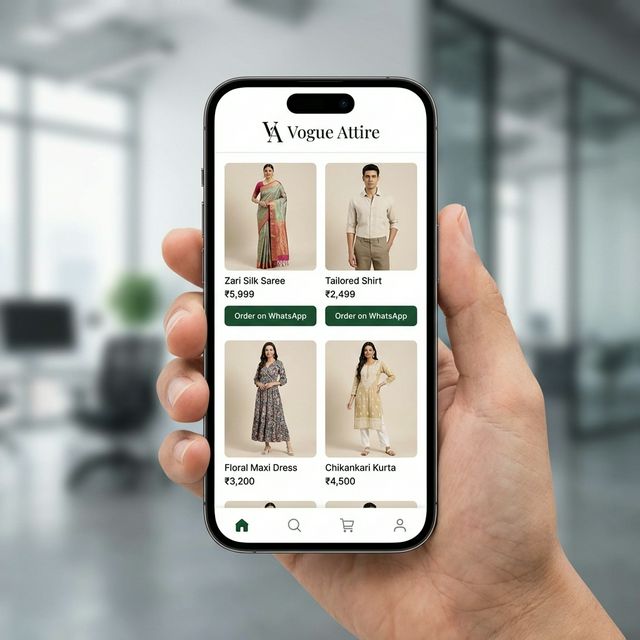
Upload photos of your kurtis, sarees, suits or western wear. The AI turns a flat or hanger photo into model try-on shots and drafts the title and description; you add sizes, fabric and price. Publish, and the whole collection is one catalogue link for WhatsApp and Instagram.
It opens in your StitchMagic dashboard after sign-in. AI images and AI-written details use credits.
How to make a fashion catalog
- Shoot each piece flat or on a hanger, in daylight, with the full garment in frame. Add a back view or a close-up of the work if it matters.
- Upload up to 20 photos at a time. Files over 25 MB are skipped.
- Pick image types and poses. Model try-on uses an Indian model look by default; tick the poses you want.
- Fill sizes, fabric and price. Generate Details drafts the title and description; check them before you publish.
- Publish and share the catalogue link. Buyers tap a button on any piece to message you on WhatsApp.
Clothing catalogue images from one photo
- AI Model Try-OnThe garment on a model, in the poses you tick: front, side, back, sitting, stepping, upper body and more.
- White BackgroundThe piece alone on plain white, for marketplace-style listings.
- Lifestyle BackgroundThe garment in a styled setting instead of your room or shop floor.
- Color VariantThe same design in another colour, for a colour you stock but did not shoot.
- Product Close-upA close view of embroidery, print, border or fabric texture.
What a fashion catalogue shows for each piece
Fields you fill appear under the piece when a buyer opens it; empty ones stay hidden.
| Field | What goes in it |
|---|---|
| Sizes | XS to XXL, Free Size or Custom, ticked per piece |
| Colours | The colour variants you stock |
| Fabric | Primary material and composition, e.g. cotton, georgette, silk with zari |
| Set includes | e.g. kurta, pant and dupatta |
| Occasion and collection | Wedding, festive, office; a tag such as Eid collection |
| Fit | Model’s height and the size the model wears |
| Dispatch | Ready to ship, or made to order with stitching days |
The catalogue page itself has six fashion layouts, chosen under Settings: Fashion Grid, Minimalist, Lookbook, Sidebar Categories, Top Navigation and Category Landing. Lookbook suits a small bridal range; Category Landing suits a shop with many categories.
Source: StitchMagic catalogue builder image types, fields and layouts, checked 22 Oct 2026.
Fashion catalog maker by product
Fashion catalog maker FAQ
How do I make a fashion catalogue from my clothing photos?
Photograph each piece flat or on a hanger in daylight, upload up to 20 photos at a time, choose the image types, enter the price and sizes, then publish and share the catalogue link.
Does it add a size availability badge to product images?
No. Nothing is stamped on the image. Sizes are a field on each piece, and buyers see the sizes you ticked when they open it.
Is the clothing catalogue maker free?
Not fully. You need a StitchMagic account, and AI images and AI-written details use credits; your balance and top-ups are in the dashboard.
Will the AI change the design of my garment?
It is told to keep the print, colour and work as they are, but AI images can drift on fine embroidery or borders. Compare each image with the piece and use the close-up type to check detail.
Can I export the fashion catalog as a PDF?
No. The catalogue is a web page you share as a link. You can download the images, singly or as a ZIP, in the preset sizes.
Your collection on models, in one link.
Listing the same clothes on Meesho?
ListMagic is our listing agent for the Meesho Supplier Panel: it drafts each listing’s title, category, attributes and price from a product photo, and you check it before submitting. Free plan to start; Seller Pass ₹99 a month (StitchMagic pricing, checked 16 Oct 2026).
Try ListMagic