Saree catalogue maker: saree mockups and catalogue photos
Upload a photo of a saree, turn it into a mockup on a model or a clean white-background shot, size it for Meesho or WhatsApp, and share the whole catalogue as one link.
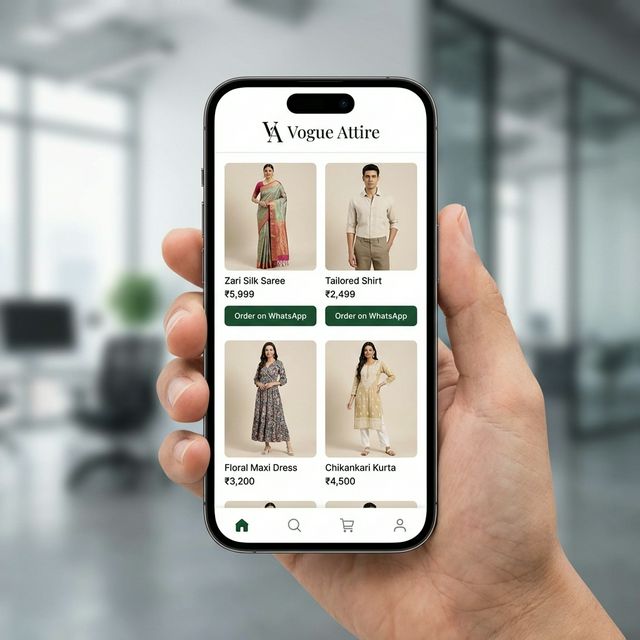
Make a saree mockup from your saree photo
Photograph the saree flat or on a hanger in good daylight, upload it, and pick what you need. Each saree can carry several images, so one design can have a model mockup, a white-background shot and a border close-up.
- AI model try-onA catalogue image of a model wearing your saree, in the pose and background you pick: your saree mockup.
- White backgroundYour saree on a plain white studio background with a soft shadow, at the angle you shot it.
- Lifestyle backgroundYour saree placed in a styled setting, with the saree kept sharp and in front.
- Colour variantA version of the same saree in another colour, for designs you stock in several shades.
- Product close-upA detail shot of the border, pallu or zari.
What the saree catalogue maker handles
After the images are made, download them resized for the place you sell, as a ZIP, or publish them to your catalogue.
| Size preset | Output |
|---|---|
| Original HD | 1800 px |
| Meesho | 1000 × 1000 px |
| Flipkart | 1000 × 1000 px |
| Amazon | 2000 × 2000 px |
| 1080 × 1350 px | |
| 1080 × 1080 px |
Source: StitchMagic catalogue builder size presets, checked 16 Oct 2026. These are our presets, not marketplace rules; check each marketplace's own image guidelines.
Saree catalogue design layout: the photos per saree
A buyer scrolling a catalogue decides on the first image and checks the rest for the details. For each saree, lead with the full drape on a model (front view), then add the back view for the blouse, a close-up of the pallu or border, and a plain white-background shot for marketplaces. Keep the same background and order for every saree in the catalogue so the set looks like one collection, and put the price and fabric in the description, not on the photo.
How to make a saree catalogue
- Upload your saree photos. Add a front view, and a back view or close-up if you have them.
- Choose the images to make. Pick model try-on for a mockup, white background for marketplaces, and the poses you want.
- Check, then publish. Compare each image with the real saree, publish, and copy the catalogue link to send on WhatsApp.
Listing these sarees on Meesho too?
ListMagic is our listing agent for the Meesho Supplier Panel: it drafts the title, category, attributes, images and price for each product, and you check it before submitting. Start on the Free plan; Seller Pass is ₹99 a month (StitchMagic pricing, checked 16 Oct 2026).
See how ListMagic worksSaree catalogue maker FAQ
What is a saree mockup?
A saree mockup is a picture of your saree as it would look worn, made from a photo of the saree itself. The AI model try-on mode creates one on a model in the pose and background you choose, so you do not need a photoshoot for every design.
Does the AI change the colour or zari of my saree?
It is instructed to keep the exact saree, but AI images can drift. Compare every image with the real saree, especially the colour and zari, before you publish, and redo any that do not match.
Which image size should I use for Meesho or WhatsApp?
The maker has presets for both (1000 × 1000 px for Meesho, 1080 × 1080 px for WhatsApp; StitchMagic catalogue builder, checked 16 Oct 2026). These are our presets; check the marketplace’s own image guidelines before you upload.
How do customers see my saree catalogue?
When you publish, the maker gives you one catalogue link to copy and send on WhatsApp or post on Instagram. Add your WhatsApp number to your profile first: publishing asks for it so buyers can reach you from the catalogue.
What does “catalogue saree” mean?
In the saree trade it usually means a saree sold as part of a wholesaler’s catalogue: a set of designs shot and priced together, often bought as a full set by resellers.
Is the saree catalogue maker free?
Not fully. You need a StitchMagic account, and each AI image or AI-written product detail uses credits from that account; your balance and top-ups are in the StitchMagic dashboard.