Men kurta design tool: see your fabric as a finished kurta pajama
“Kurta banke kaisa lagega?” Upload a photo of the kurta fabric in the StitchMagic dashboard and the AI shows it as a kurta pajama on a male model, ready to send to a customer.
- Sign in; the dashboard opens Generate → Visualize with Kurta Pajama already selected.
- Upload one clear photo of the fabric, or switch to Bulk for several.
- Generate, then download the kurta image or send it on WhatsApp.
There is no upload box on this page. The tool runs in your browser after sign-in, with no app to install, and each image uses credits from your account.
Men's kurta designs you can generate
These are the 4 men's categories in the visualizer. For a kurta, the AI draws the design from the Kurta Pajama templates: a round neck, mandarin collar or V neck; a straight, fitted or embroidered kurta, or one with a jacket; worn with a pajama.
- Kurta Pajama: kurta with pajama; the page opens with this one selected
- Sherwani: long wedding sherwani
- Jacket: jacket, for a layered look
- Shirt: shirt from shirting fabric
Kurta pajama photo editor or design tool: what it does
It does
- Show your fabric as a kurta pajama on an AI male model.
- Run in a phone or desktop browser.
- Take one fabric photo at a time, or many in Bulk mode.
It does not
- Edit a photo of you or put the kurta on your customer's photo.
- Export a mockup file or a 3D model.
- Give free images: each one uses credits.
Check each image against the real fabric before you send it, and generate again if a motif or colour has come out differently. Send the flat fabric photo too, for the true colour.
Kurta design photo tips by fabric
- Cotton and linen: lay the fabric flat in daylight, with no folds across the print.
- Silk, brocade and jacquard: shoot at an angle that shows the weave without glare.
- Embroidered or sequinned fabric: keep the work in the centre of the frame and in focus.
- Dark fabric: shoot near a window rather than under a yellow bulb.
AI kurta design example (illustration)
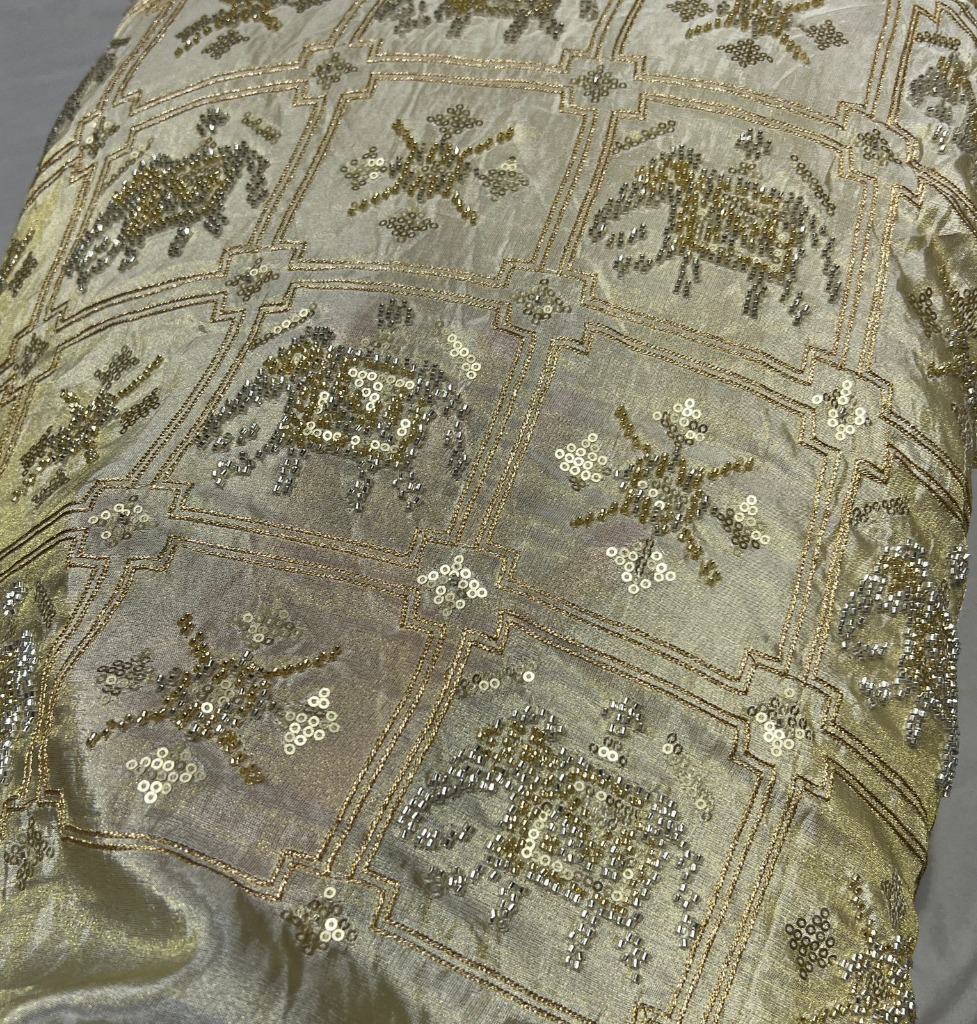
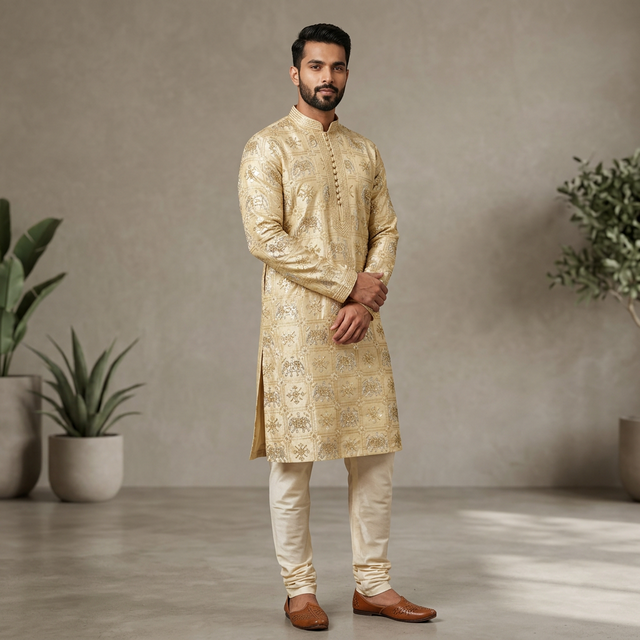
Illustration of the idea. It is not presented as an unedited output of the tool.
Men kurta design tool FAQ
What is a men kurta design tool?
You upload a photo of unstitched kurta fabric and the AI generates that fabric as a finished kurta pajama on a male model, so a customer can see the kurta before anything is stitched.
Is it a kurta pajama photo editor?
No. It does not edit a photo of you or of a kurta you already have. It starts from a fabric photo and generates a new image of a kurta made from that fabric.
Can I choose the collar or kurta length?
Not from a menu. The AI picks the neckline, sleeve and silhouette from the Kurta Pajama design templates, such as a round neck, mandarin collar or V neck, so generate a few previews to see different designs from the same fabric.
Is the kurta design tool free?
No. Each kurta image uses credits from your StitchMagic account; your balance is shown in the dashboard. There is no upload box on this page.
Is it a kurta mockup or a 3D model?
Neither. You get a flat image of a model wearing the kurta, not a mockup file to edit or a 3D model to rotate.
Show the finished kurta before the fabric is cut.
More garment try-on and visualization
Listing finished kurtas on Meesho?
ListMagic fills the Meesho catalog form from one product photo, so each kurta you sell is listed without typing every field. Free plan to start; Seller Pass ₹99 a month (StitchMagic pricing, checked 16 Oct 2026).