AI suit design: see your fabric as a finished salwar suit
“Suit mein kaisa dikhega?” Upload a photo of the suit fabric in the StitchMagic dashboard and the AI shows it as a salwar, palazzo, anarkali or sharara set on a model.
- Sign in and open Generate → Visualize.
- Choose a suit-set category and upload one clear fabric photo, or switch to Bulk for several.
- Generate, then download the suit image or send it on WhatsApp.
There is no upload box on this page. The visualizer runs in your browser after sign-in, with no app to install, and each image uses credits from your account.
Salwar suit design styles you can pick
These are the suit-set categories in the visualizer. Each one comes with its own design templates for neckline, sleeve and silhouette.
- Salwar Suit Sets: kameez with salwar and dupatta
- Kurta Sets: kurta with matching pants
- Palazzo Sets: kurta with wide palazzo pants
- Anarkali Sets: flared, long anarkali kurta
- Sharara Sets: short kurta with flared sharara
- Gharara Set: kurta with gathered gharara
- Angarkha Set: overlap-front angarkha kurta
- Dhoti Sets: kurta with dhoti-style bottom
AI suit designer vs sending flat fabric photos
| What the customer gets | Flat fabric photo | AI suit preview |
|---|---|---|
| Sees the finished suit | No, has to imagine it | Yes, on a model |
| Compares styles from one fabric | No | Yes, generate one preview per category |
| Exact print and colour | Yes, it is the real fabric | Close, but check it against the fabric |
Send both: the flat photo for the true colour, the preview for the finished look.
Suit design photo tips
- Three-piece suit fabric: photograph the kameez, bottom and dupatta fabrics separately; a pile of all three confuses the print.
- Embroidered yoke or border: keep the embroidery in the centre of the frame and in focus.
- Lawn and cotton prints: lay the fabric flat in daylight, without folds across the motif.
- Dark fabric: shoot near a window rather than under a yellow bulb.
AI suit design example (illustration)
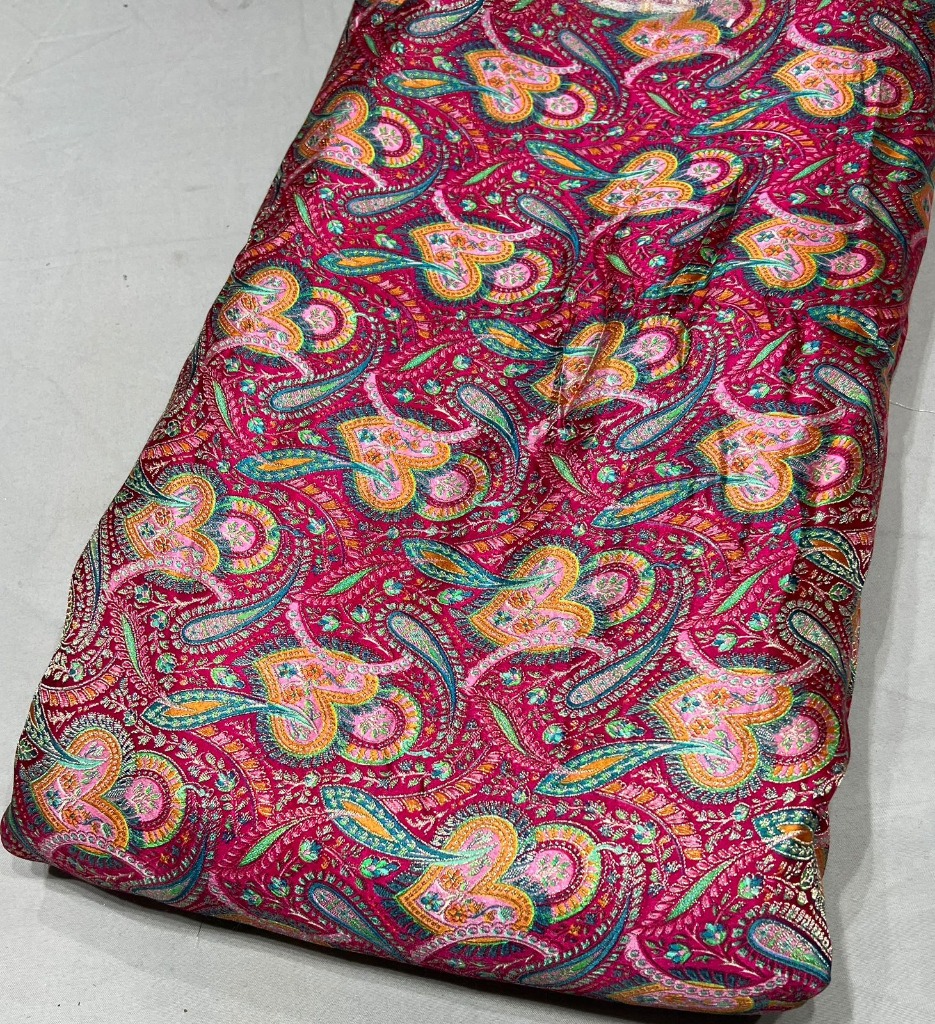
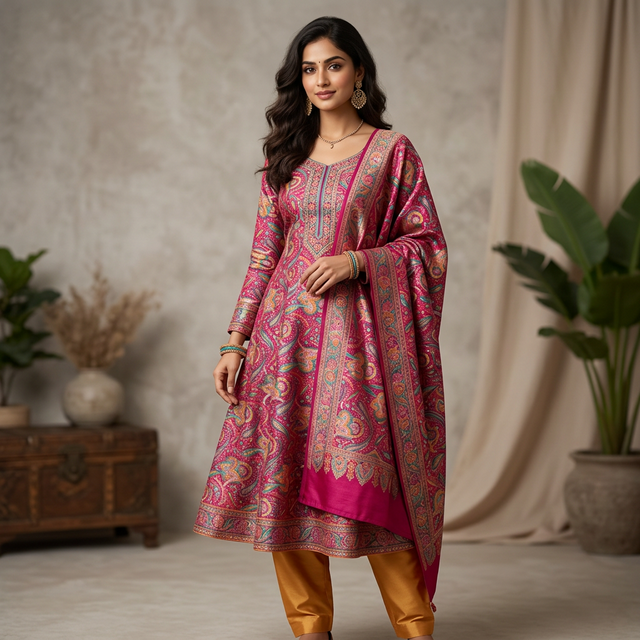
Illustration of the idea. It is not presented as an unedited output of the tool.
AI suit design FAQ
What is AI suit design?
You upload a photo of unstitched suit fabric and the AI generates that fabric as a finished suit on a model, so a customer can see the kameez, bottom and dupatta before anything is stitched.
Which salwar suit designs can I make?
Pick a suit-set category such as Salwar Suit Sets, Palazzo Sets, Anarkali Sets or Sharara Sets. The AI draws the neckline, sleeve and silhouette from that category’s design templates, so generate a few previews to see different designs from the same fabric.
Is the AI suit designer free?
No. Each suit image uses credits from your StitchMagic account; your balance is shown in the dashboard. There is no upload box on this page.
Do I need to install an app?
No. The visualizer runs in the StitchMagic dashboard in your phone or desktop browser.
Does it work with printed and embroidered fabric?
You can upload any fabric photo. Prints and embroidery are generated from what the photo shows, so check the motif and border placement on each preview against the real fabric before you send it.
Answer “sochke batati hoon” with a picture of the finished suit.
More garment try-on and visualization
Listing finished outfits on Meesho?
ListMagic fills the Meesho catalog form from one product photo, so each piece you sell is listed without typing every field. Free plan to start; Seller Pass ₹99 a month (StitchMagic pricing, checked 16 Oct 2026).