Amazon seller fees: what the calculator deducts
Amazon’s seller guide sums the cost as Referral Fee + Closing Fee + Shipping Fee + Other Fee (sell.amazon.in, retrieved 17 October 2026). The calculator takes each one as an input:
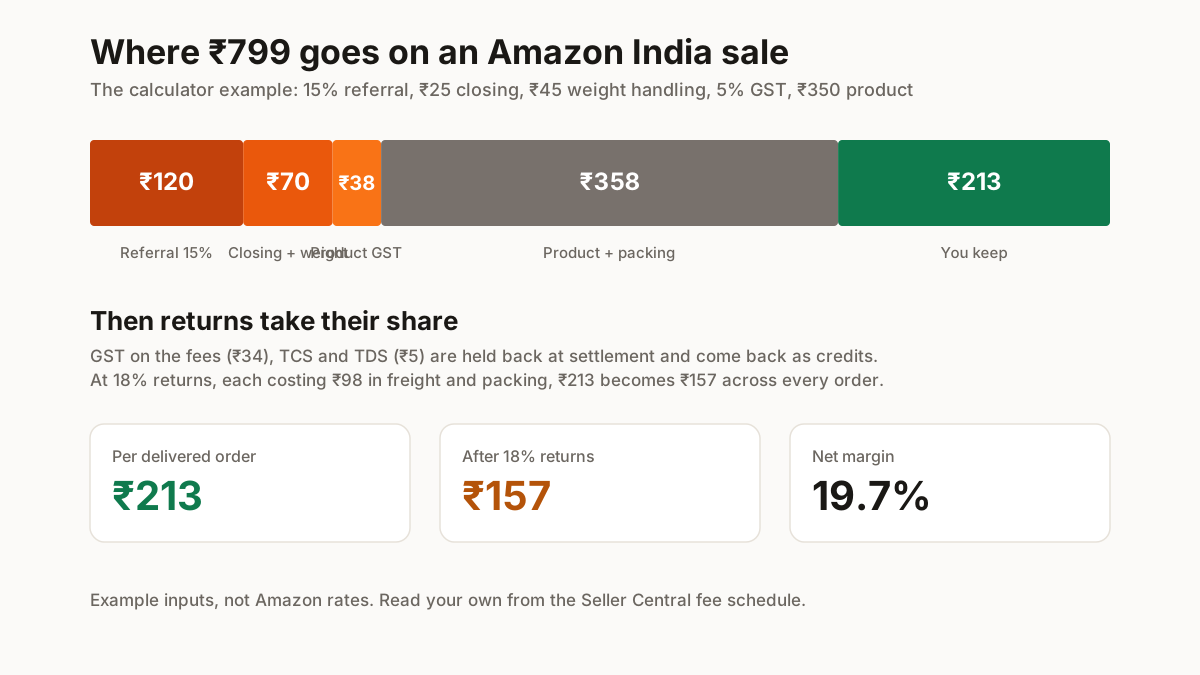
- Referral fee: “a percentage of the sales” that “varies for different categories”. ₹120 on the example at 15%.
- Closing fee: charged in addition to the referral fee, “based on your product price”. ₹25 on the example.
- Weight handling fee: for orders delivered through Easy Ship and FBA. ₹45 on the example; 0 if you self-ship.
- FBA fees: pick, pack and storage, only if Amazon stores your stock. 0 on the example.
On top of the fees come GST on Amazon’s fees (the field defaults to the 18% standard rate; use the rate on your fee invoice), TCS at 0.5% of the taxable value and TDS at 0.1%. All three reduce the settlement, and all three come back to a GST-registered seller as credits, which is why the profit line adds them back.
Amazon referral fee: read your category rate
The referral percentage is the input that moves the answer most, and it is set by category. On the example, every five points of referral fee changes expected profit by about ₹33 an order (₹190 at 10%, ₹157 at 15%).
One published change to check first: Amazon announced zero referral fees on products priced below ₹300 in more than 135 categories, effective 7 April 2025 (Amazon press release). If your product qualifies, set the referral field to 0.
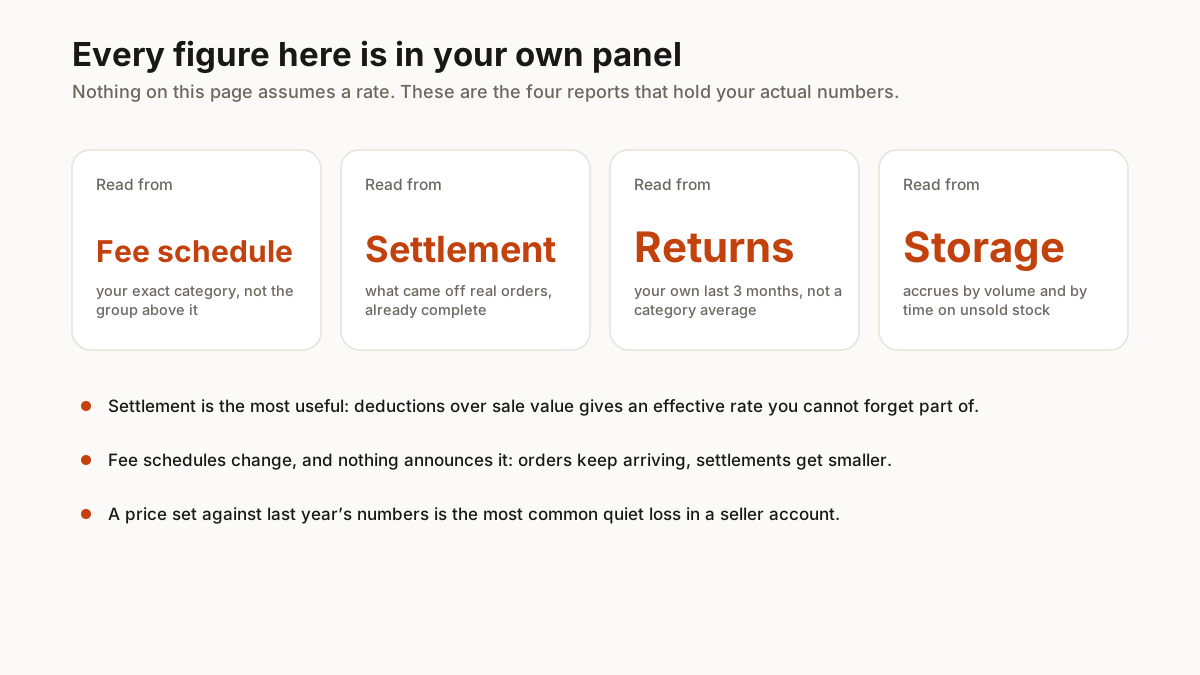
For everything else, read the rate for your exact category from the fee schedule in Seller Central, or take an effective rate from a month of settlement reports: total fees divided by total sales.
Amazon revenue calculator vs this calculator
Amazon’s Revenue Calculator at sellercentral.amazon.in/revcal redirects to the Seller Central sign-in (checked 17 October 2026), so you need a seller account to use it. Use it once you have one: it reads Amazon’s live fees for a product.
This calculator works before you register and adds what a fee preview leaves out: the GST you remit on the product (₹38 on the example, 5% for garments up to ₹2,500 a piece), the tax credits, your own costs and the return rate.
How returns change the Amazon price calculator result
A returned order earns nothing and costs you the freight plus the packing: ₹98 an order on the example. Expected profit is ₹182 at 10% returns, ₹151 at 20%, ₹120 at 30% and ₹89 at 40%.
So price from the expected figure, not the delivered one. Decide the profit you need per order, then raise the selling price until the expected line reaches it. If it stays negative at your real return rate, the product does not work at that price on Amazon.
Take the return rate from your own returns report for the last three months; the 18% default is only an example.
Rates used in this calculator
Every Amazon fee on this page is an example input. These are the only rates stated, with their sources:
| Item | Value | Source, checked |
|---|---|---|
| Fee structure | Referral + closing + shipping + other | sell.amazon.in beginner’s guide, 17 Oct 2026 |
| Referral fee below ₹300 | Zero, 135+ categories, from 7 Apr 2025 | Amazon press release, 17 Oct 2026 |
| Fulfilment routes | FBA, Easy Ship, Self-Ship | sell.amazon.in, 4 Oct 2026 |
| TCS | 0.5% of taxable value | Ministry of Finance (PIB), from 10 Jul 2024 |
| TDS (194-O) | 0.1% | Income Tax Department, 4 Oct 2026 |
| GST on garments | 5% up to ₹2,500 a piece, 18% above | 56th GST Council (PIB), 4 Oct 2026 |
Comparing channels? Run the same product through the Meesho, Flipkart and Myntra calculators, and see the price per piece guide for the cost side.